
Linked widgets
Linked widgets let you right-click any coin and open it in another widget, already set to that coin, so there's nothing to pick again. Linked widgets work on desktop.
How to open a linked widget
In the console, right-click a coin in one of the widgets listed under Where you can start.
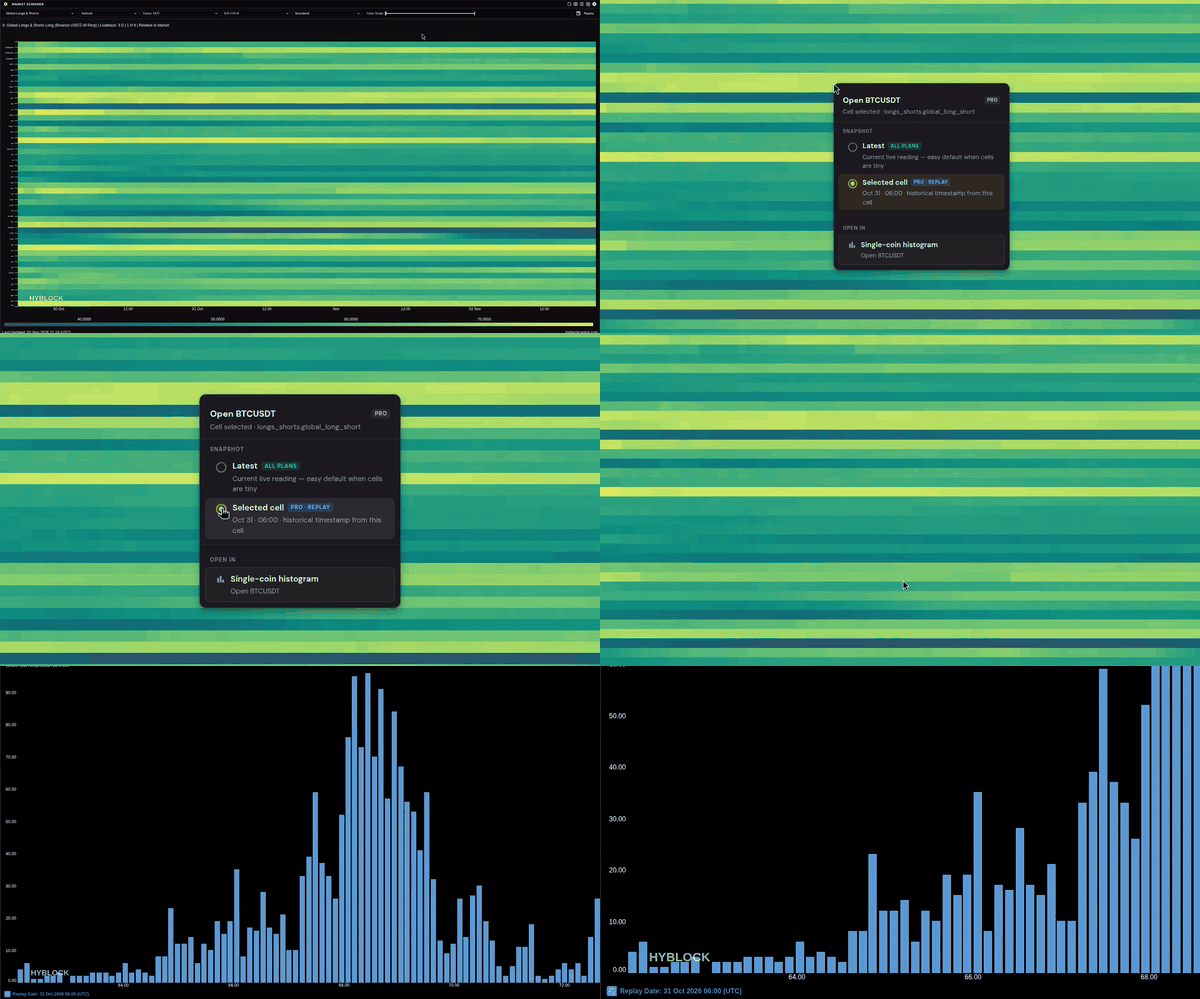
A menu titled Open {coin} appears, for example Open BTCUSDT.
Under SNAPSHOT, choose Latest or Selected cell (Selected cell appears only in the widgets that offer it, see below).
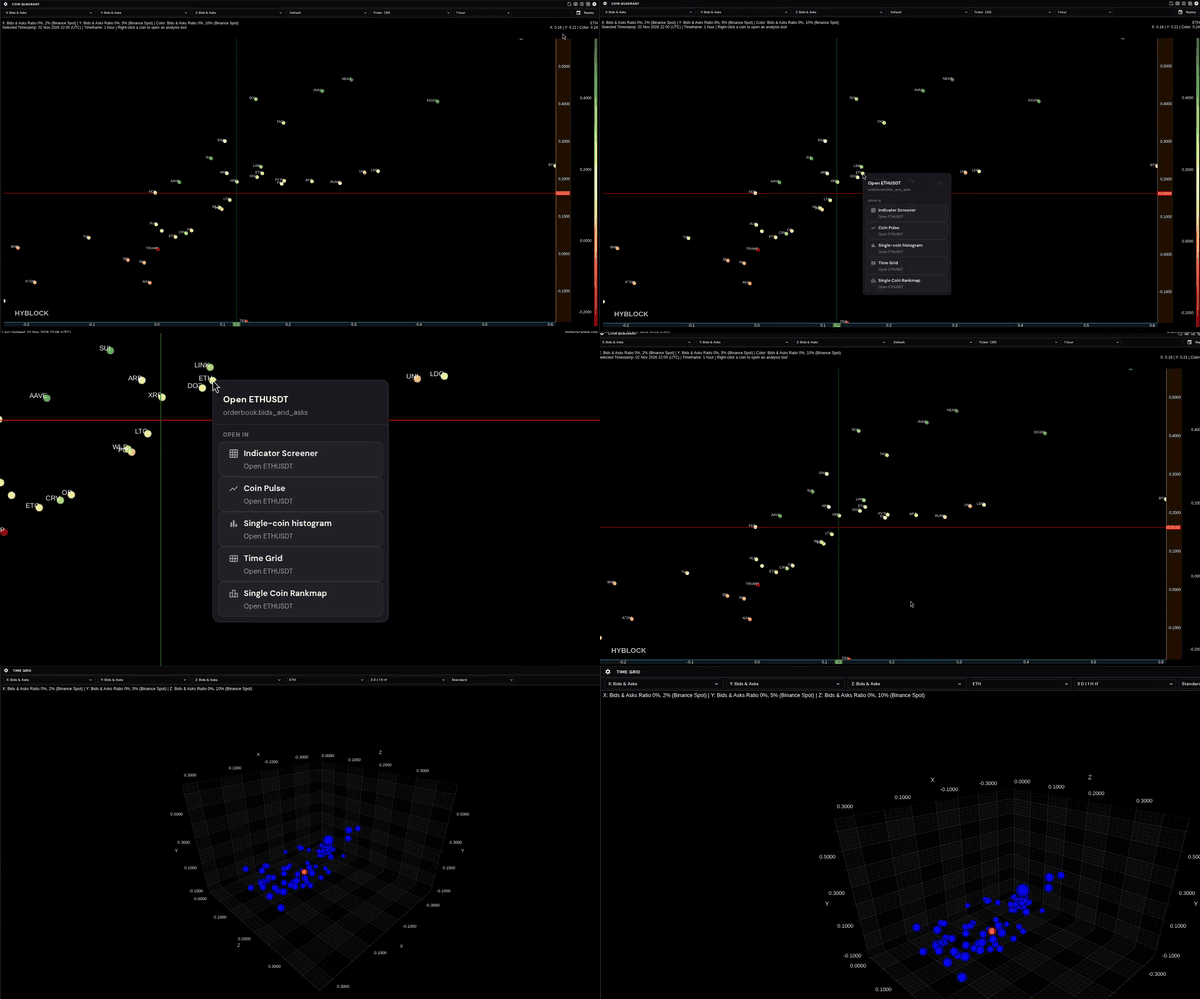
Under OPEN IN, pick the widget to open.
If a linked widget is already open, choose Replace existing or Open new (see below).
The new widget opens on the same coin, and a confirmation reads "Opened {coin} in {widget}".
In the Single-Coin Histogram and Multi-Coin Histogram, right-click the coin's label above the chart.
Plan availability
Latest
The current live reading
Every plan
Selected cell (labeled PRO · REPLAY)
The Single-Coin Histogram in Replay at the past cell you right-clicked
Professional
On Basic and Advanced, Selected cell shows a lock. Choosing it opens an Upgrade to Professional prompt, and Upgrade Now takes you to pricing.
Where you can start
Market Screener, Indicator Screener, Spaghetti Chart, Coin Pulse, Coin Stacker
Single-Coin Histogram (Latest, or Replay with Selected cell)
Coin Quadrant, Single-Coin Histogram, Multi-Coin Histogram
Indicator Screener, Coin Pulse, Single-Coin Histogram, Time Grid or Single Coin Rankmap (always live)
For example, right-click a coin in Coin Quadrant and open it straight into Time Grid:
Latest or Selected cell (Replay)
Latest opens the current live reading. It works on every plan.
Selected cell is offered in Market Screener, Indicator Screener, Spaghetti Chart, Coin Pulse and Coin Stacker when you right-click a past cell. The newest column counts as live, so there it only offers Latest. Selected cell always opens the Single-Coin Histogram in Replay at that exact moment.
You'll know you're in Replay because the widget's footer shows Replay Date instead of Last Updated.
Replace existing or Open new
If a linked widget is already open, choose:
Replace existing to load the new coin into the widget that's already open.
Open new to open another widget and keep both.
The menu remembers your last choice.
Was this helpful?